
Home / Features / Billing & Invoicing
Features · Billing & InvoicingInvoice the day it delivers.
Auto-rated loads, accessorials captured as they happen, and a direct sync to QuickBooks.
Late invoices mean late cash. Missed charges mean free freight. LoadPilot closes both gaps by building the invoice from the load itself, then sending it straight to QuickBooks when you create it.
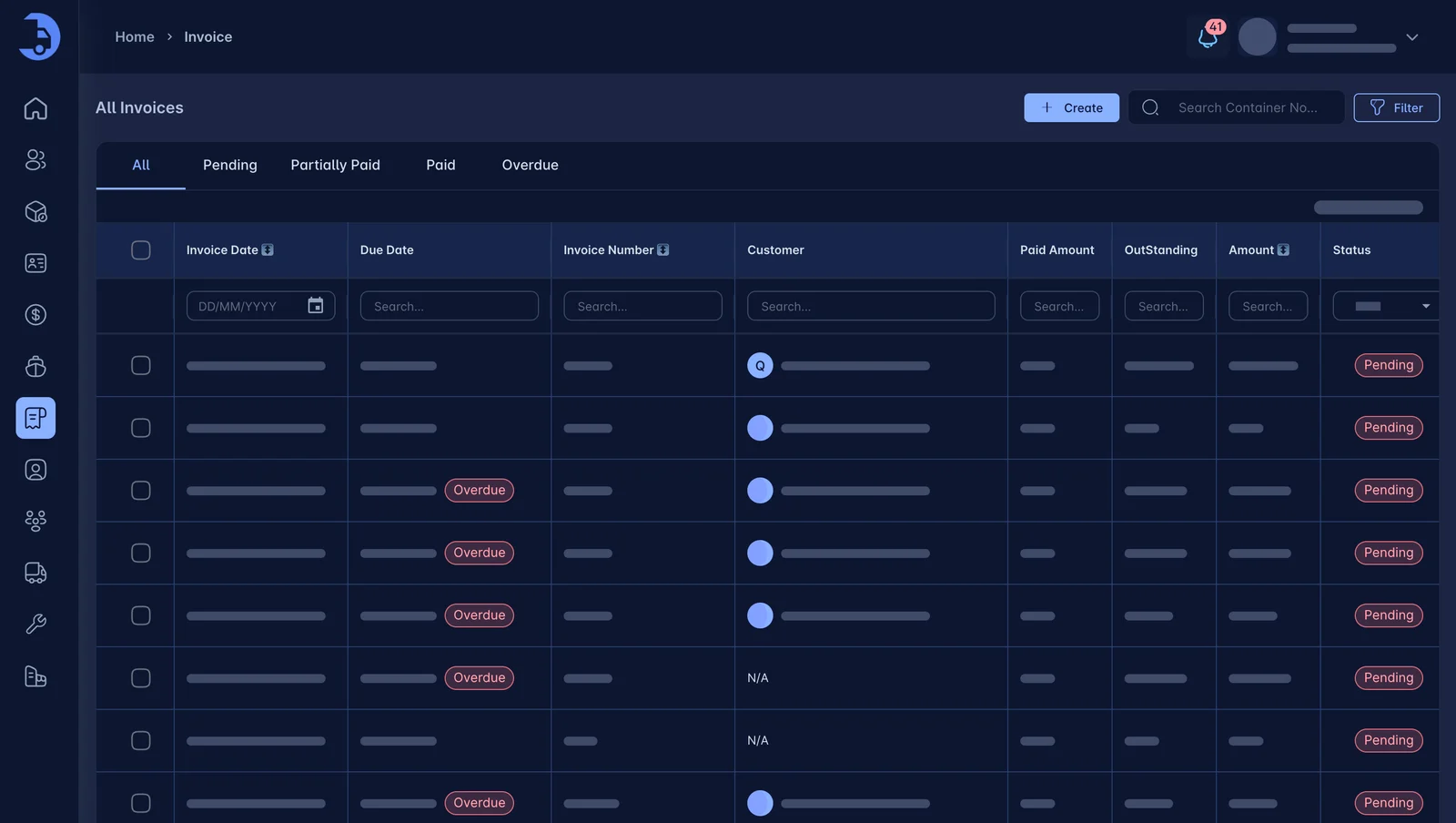
Less admin. Fewer mistakes.
Same-day invoicing
When the load completes, the invoice is ready. No re-keying from paper.
Auto-rated loads
Customer rates apply on their own, so base charges are right the first time.
Accessorials captured
Chassis, detention and extras are added as they happen, not remembered later.
Direct QuickBooks sync
Create the invoice in LoadPilot and it syncs to QuickBooks directly. Nobody re-types it into the books.
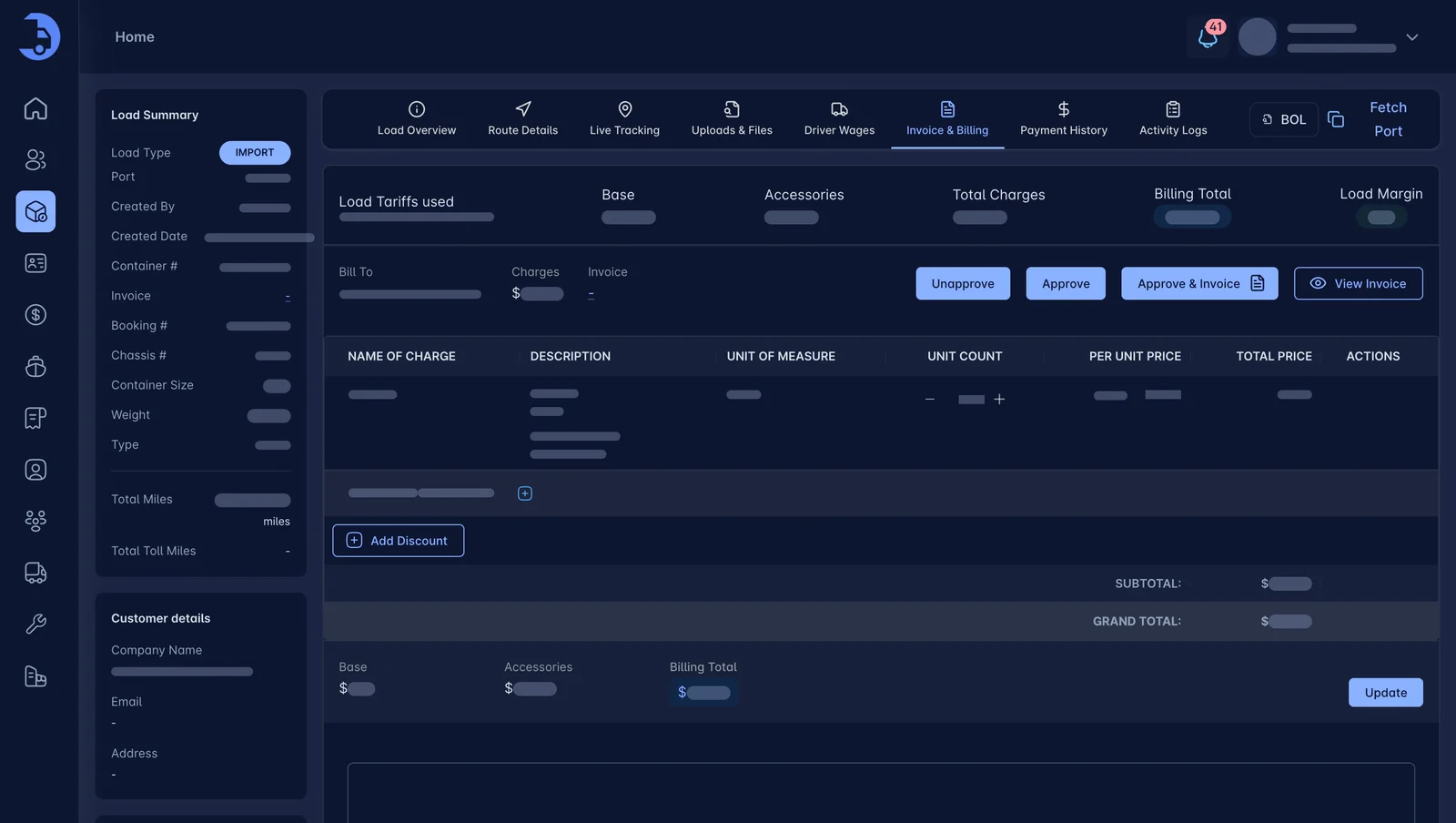
Charges listed, totals clear.
Each invoice shows base charges, accessorials, discounts and the grand total, tied to the load and customer.
- Charge name, unit and price per line
- Discounts and adjustments
- Billing total and load margin visible
Create it once. It syncs to QuickBooks.
Connect QuickBooks from Integrations, and every invoice you create in LoadPilot syncs to QuickBooks directly. The invoice list shows each invoice's sync status, so you know what has landed in your books.
- Direct sync when you create the invoice
- No double entry into QuickBooks
- Sync status shown on every invoice
- Fewer accounting errors
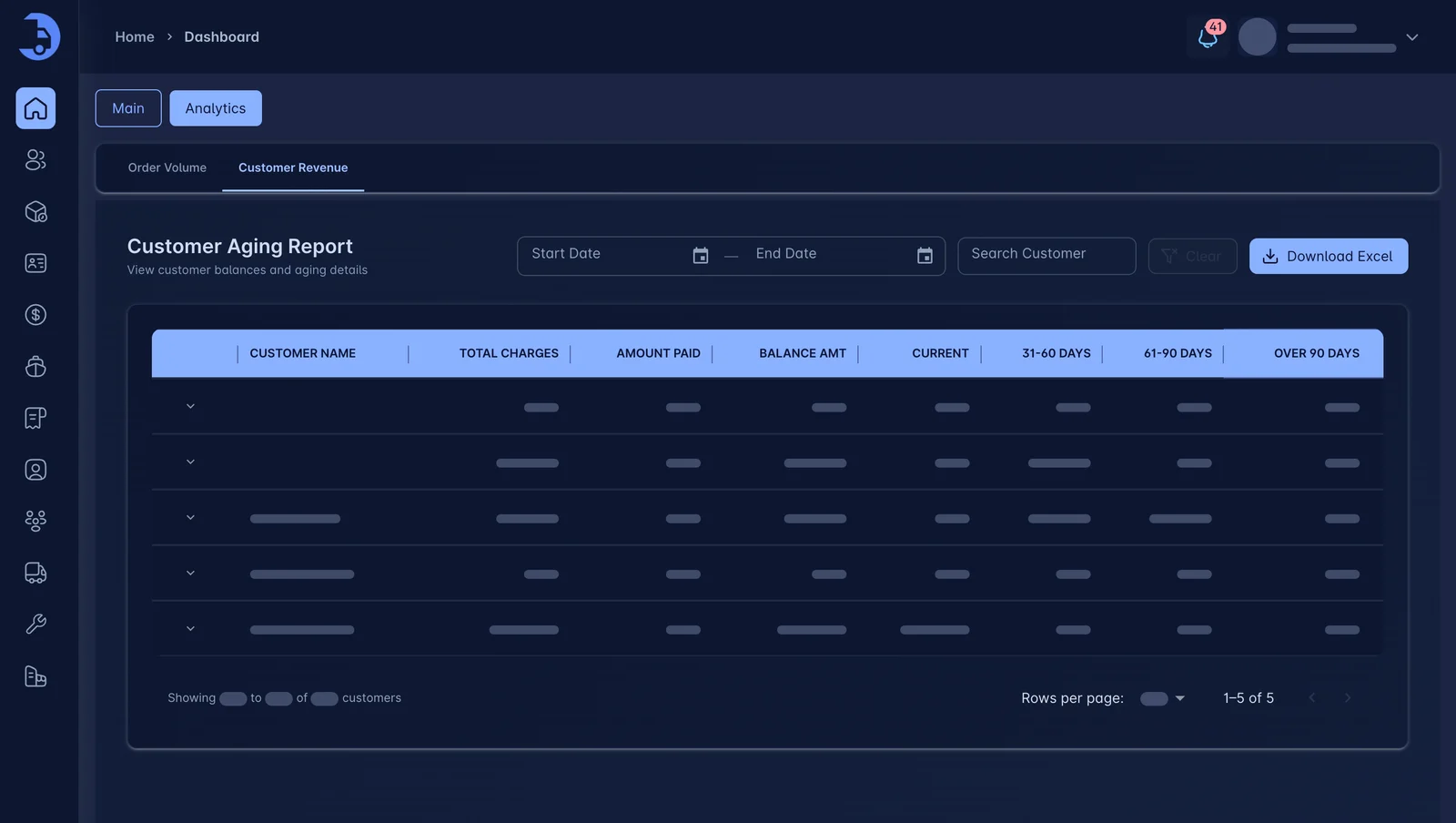
Know what each container earned.
Revenue reports roll up by container, customer and period, so you see where margin actually comes from.
- Container revenue summary
- Filter by date and customer
- Download reports
Works best with the rest.
See LoadPilot in action.
A 30-minute walkthrough using your kind of loads. Bring your toughest questions.